The private, lightweight macOS focus tracker that runs invisibly in the background —
and blocks distractions before they block your goals. Your habits stay on your Mac.
We never see them.
Most time trackers are bloated, cloud-based, and watching everything you do.
This one weighs ~20 MB, never uploads a byte, and runs so quietly you'll
forget it's there until the chart shows up.
Runs invisibly in the background
~20 MB on disk, under 1% CPU when idle. Built on Tauri + Rust — no
Chromium, no telemetry agent, no fans spinning up. RescueTime weighs
hundreds of MB and phones home constantly. This one just sits there
and works.
Native macOS bundle — no Chromium
Universal binary for Apple Silicon & Intel
Polls only when the foreground window changes
Honest insights, zero tagging
Every app and active browser tab is auto-mapped into one of 20
productive-vs-unproductive categories. No manual labels, no weekly
cleanup — just an honest breakdown of where your hours actually went.
Native apps via bundle id
Browsers down to the active tab URL
Privacy first
Your habits are private. We never see them.
No account. No cloud. No sync. No screen recording. No keystroke logging.
The database lives in your home folder — encrypted by FileVault, owned by
you, deletable in one click. Most "productivity" apps quietly upload your
life. This one literally cannot.
We listen for the moment your focused window changes —
that's it. Nothing happens between those moments.
We do
Detect when the front-most window changes
Read the app's bundle id and the window title
For browsers, read the active tab's URL
Save a session row: app, title, start, end
We don't
Record keystrokes or mouse clicks
Capture screen content or screenshots
Read the clipboard or files you open
Track what you scroll, type, or watch inside
TL;DR — we know you switched to Slack at 2:14 PM.
We have no idea what you said in there.
Skip incognito automatically
Private windows in Safari, Chrome, Arc, Firefox and friends are
detected and ignored by default. What's private stays private.
Excludelist for apps & sites
Got a banking app, a journaling tool, or a dating site you'd rather
not see in your weekly chart? Add it to the excludelist and it
disappears from history.
Your habits stay on your Mac
Your data lives quietly on your Mac. Nothing is uploaded. Nothing is
shared. Delete it any time and the app forgets — instantly, completely,
with no "are you sure" form on a server somewhere.
Your productive
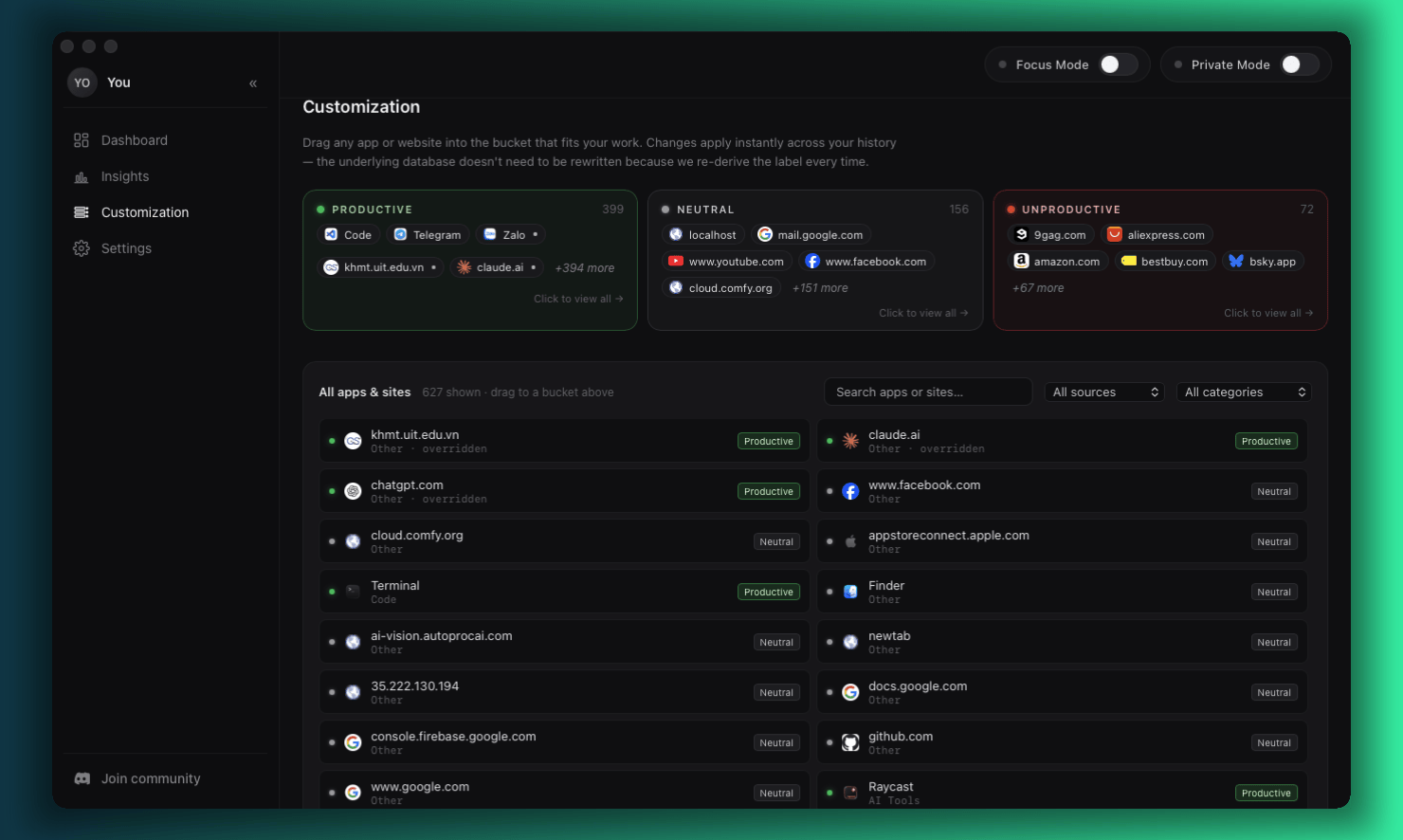
Pick the apps and sites that are productive for you.
Productivity isn't one-size-fits-all. A designer's hours in Figma are deep
work; a manager's hours in Figma probably aren't. Pick the apps and websites
that count as productive for you — and the ones that quietly don't — and
the rest of the app does the math honestly. No preset categories. No labels
you didn't choose.
your-productive.png placeholder
You pick productive
Tag the apps and sites you actually do real work in — code editors, design tools, research, writing, comms. Whatever your work looks like.
You pick the rest
Mark distractions on your own terms. No "social media = bad" preset. If TikTok is your job, TikTok is productive — your call.
Change your mind anytime
Roles shift. Productive shifts. Update labels in seconds and the whole timeline reclassifies — past, present, and tomorrow.
private-mode-poster.png placeholder
Private Mode
Your private time, nobody's business.
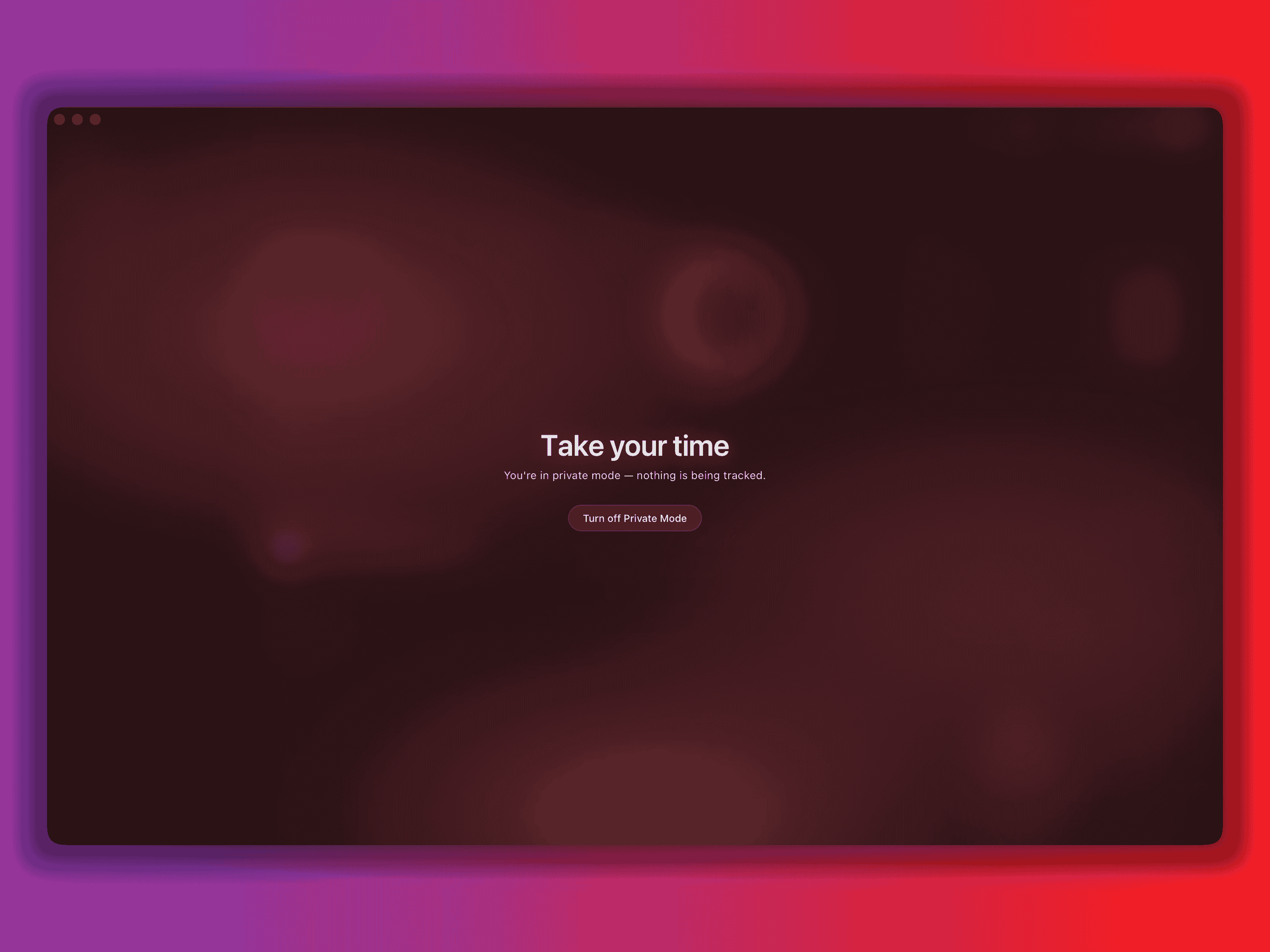
Flip Private Mode on with a single click in the title bar. The tracker
pauses, the database stops writing, and a soft red aurora fades across
the screen so you remember it's on. Take a break, take a meeting, take
the rest of the night — none of it gets recorded.
One-click toggle, no menus
Tracker fully paused — not just hidden
Visual indicator so it's never on by accident
Focus Mode
Block distractions before they block your goals.
Most trackers just tell you you wasted four hours on TikTok.
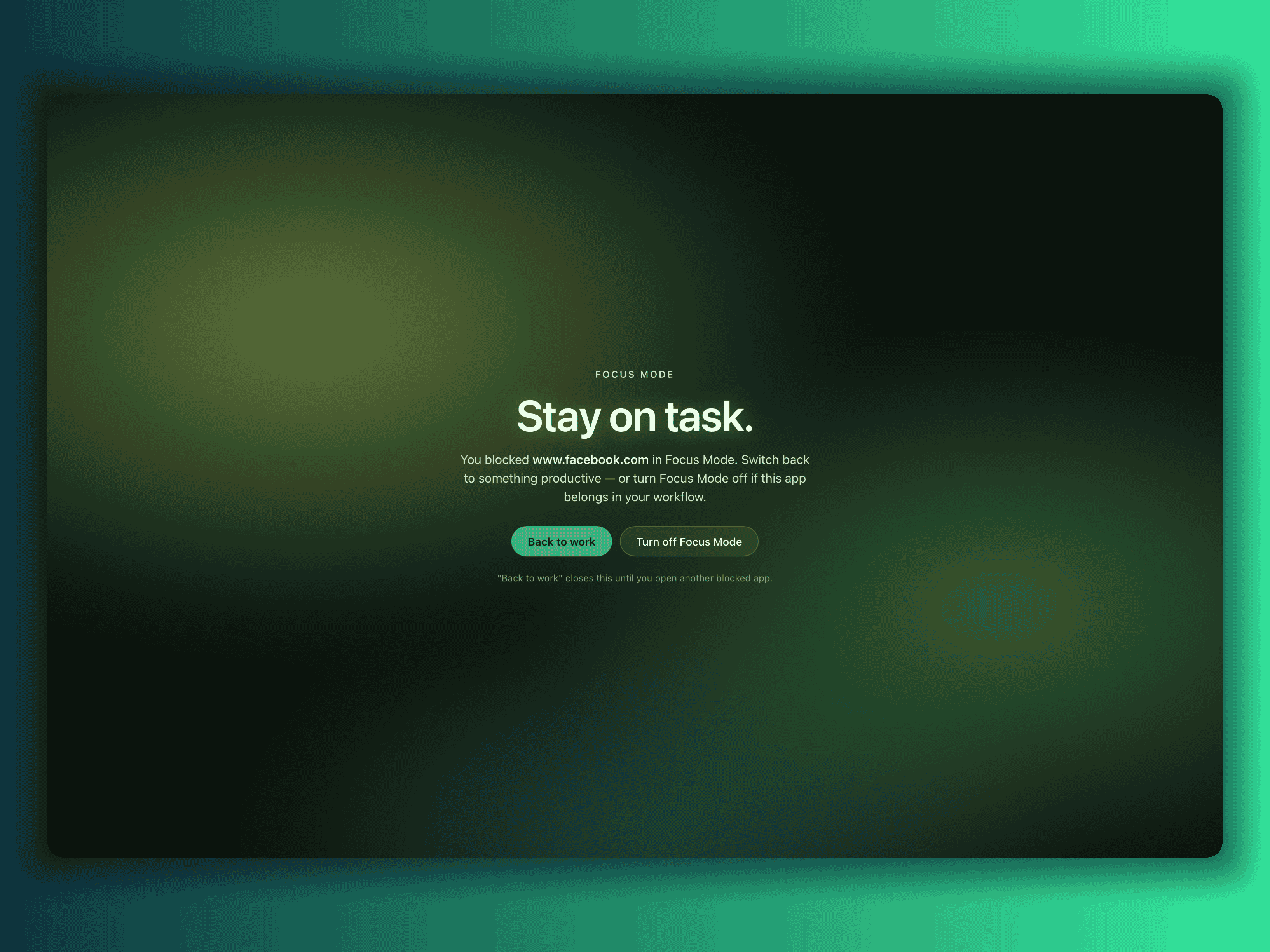
Focus Mode actually stops it. The apps and sites you've marked as
distractions get shut down the moment you open them, with a soft green
overlay nudging you back to the task. Perfect for exam week, deep work
blocks, or the 2 PM "just one video" trap.
Customizable blocklist — apps by bundle id, sites by domain
Full-screen overlay nudges you back without killing your work
One toggle to switch off when the meeting needs Slack
focus-mode-poster.png placeholder
Day at a glance
See where your day went — before it's gone.
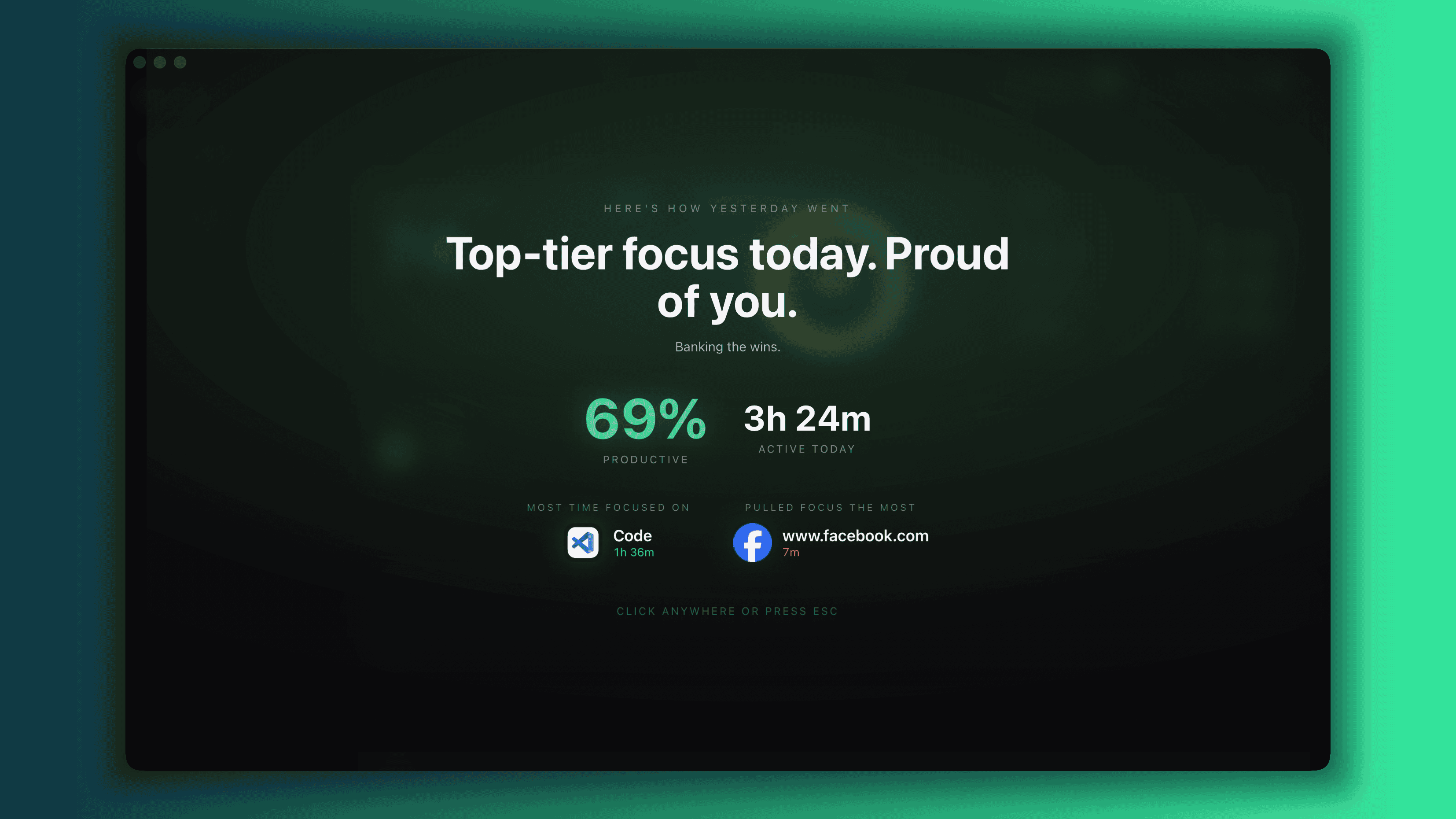
Open the app and your whole day reads like one honest sentence. Productive
hours, distractions, focus streaks, and the apps that owned your attention —
laid out in a single screen, no spreadsheet required. Find out what's
actually stealing your time, while you can still do something about it.
the-day-at-a-glance.png placeholder
Today's score, at a glance
Know whether you're winning the day before lunch — not after midnight.
What actually owned your attention
Top apps and sites bubble to the surface, so you stop guessing where the hours went.
Focus streaks worth keeping
Spot the runs of deep work you'd otherwise forget — and protect them tomorrow.
Honest insights
Productive vs unproductive, in plain charts.
When the day ends and the score isn't where you wanted it, Insights shows
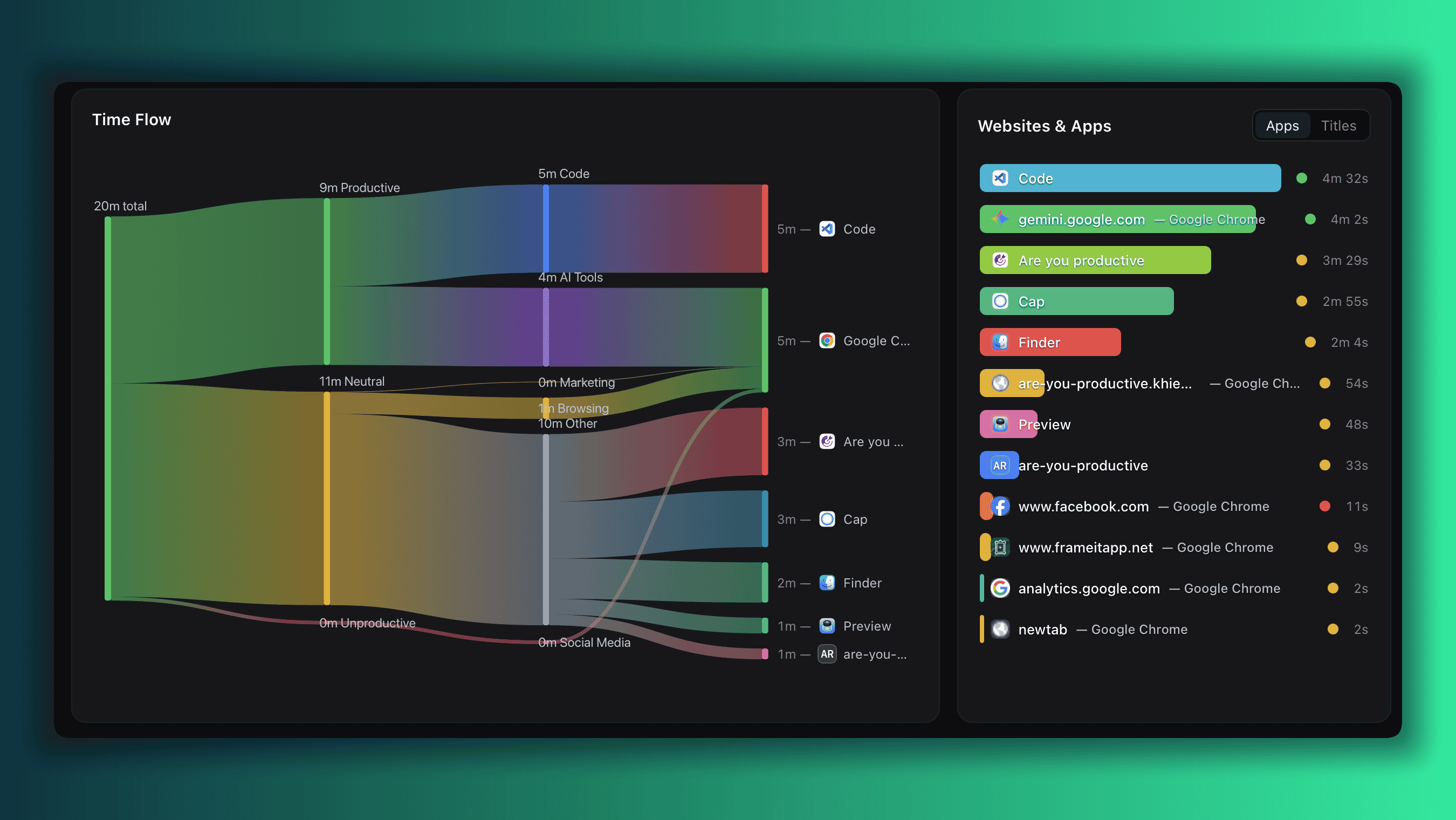
you exactly what stole the hours. Sankey flows, hourly rhythm, and a clean
productive-vs-unproductive breakdown turn the fuzzy feeling of "I got
nothing done" into something you can act on tomorrow morning.
insights.png placeholder
Hourly rhythm
See exactly which hours you actually focus — and which ones drain you.
Flow sankey
Watch how your time flows from category to category across the day.
Category breakdown
Know if it's chat, social, or hidden meetings stealing your deep work.
Trends
See yourself getting better.
One day is noise. A month is a story. Trends show how your productivity
score, focus hours, and category mix shift over weeks and months — so you
can tell whether the changes you're making are actually working.
trends.png placeholder
Built for
People who want their hours back.
If you've ever closed your laptop at midnight wondering where the day went —
this was made for you.
Students prepping for exams
Block TikTok, YouTube and Reddit for the week of finals. See how many
hours actually went to studying versus the rabbit hole. Your data stays
on your laptop — not on a study-tracking platform's server.
Remote workers & freelancers
Bill by the hour? Get an honest record of where every hour went —
private to you, never visible to a manager or platform. Perfect for
invoicing yourself with a straight face.
If you know you have a TikTok / YouTube problem
You don't need another dashboard guilt-tripping you. You need the apps
to stop opening. Focus Mode does that — actively, not passively.
Deep work enthusiasts
Cal Newport readers, Zettelkasten people, builders chasing flow — get
the hourly rhythm chart that shows when your real focus windows happen,
without giving a SaaS your behavioral data.
FAQ
Quick answers before you download.
What is Are You Productive?
+
Are You Productive is a free, private, lightweight macOS app that
tracks how you actually spend time on your Mac and blocks
distracting apps and websites in Focus Mode. All data stays on
your device — no account, no cloud sync, no telemetry. About
20 MB, under 1% CPU when idle.
Is Are You Productive really private?
+
Yes. Your habits never leave your Mac. There is no account, no cloud
sync, no telemetry. The only thing the app reads is the title of the
front-most window — never your keystrokes, screen content, or clipboard.
How is this different from RescueTime?
+
Are You Productive is local-first and lightweight — about 20 MB and
under 1% CPU. RescueTime and similar tools upload your activity to
their servers and run heavier background services. Built on Tauri +
Rust, this one runs natively on Apple Silicon and never sends your
data anywhere.
Does Focus Mode actually block distractions?
+
Yes. Focus Mode actively closes distracting apps and overlays a green
nudge on blocked websites the moment you open them — TikTok, YouTube,
X, Reddit, Netflix and Discord are blocked by default, and you can add
your own bundle ids and domains.
Is it really free?
+
Yes. Free to download, no account required, no trial expiry. A native
Windows 11 version is on the way.
What macOS versions are supported?
+
macOS 12 Monterey and later. Universal binary — runs natively on both
Apple Silicon (M1/M2/M3/M4) and Intel Macs.
Is there a free, private RescueTime alternative for Mac?
+
Yes — that's exactly what Are You Productive is. It's a free,
local-first RescueTime alternative for macOS that tracks app and
website usage without uploading anything to a server, and it
adds an active Focus Mode that closes distracting apps —
something RescueTime does not do on its free tier.
Does Are You Productive work offline?
+
Yes, fully. There is no login, no cloud sync, and no network
calls required for tracking, Focus Mode, or insights. The only
time the app touches the network is when you manually check for
an update.
How does Are You Productive help with ADHD time blindness?
+
It shows an honest hour-by-hour breakdown of where your day
actually went — the feedback loop most people with ADHD time
blindness are missing. Seeing the four hours that vanished into
Messenger or YouTube, instead of guessing, is often enough to
break the loop. No medication, no gamification, no shame.
Does it read my keystrokes or screen content?
+
No. The app only reads the title of the front-most window to
know which app or website you're using. It does not record
keystrokes, take screenshots, capture clipboard contents, or
read incognito and private browsing windows.
From the blog
Calm, honest writing on
focus, ADHD & time.
No 10-hacks listicles. No shame. Just the things I wish I'd
read before I built this app.
Got a feature request, a rough edge that bugs you, or a great idea you'd
love to see in the app? Hop into our Discord — we read everything, and the
best ideas ship.