
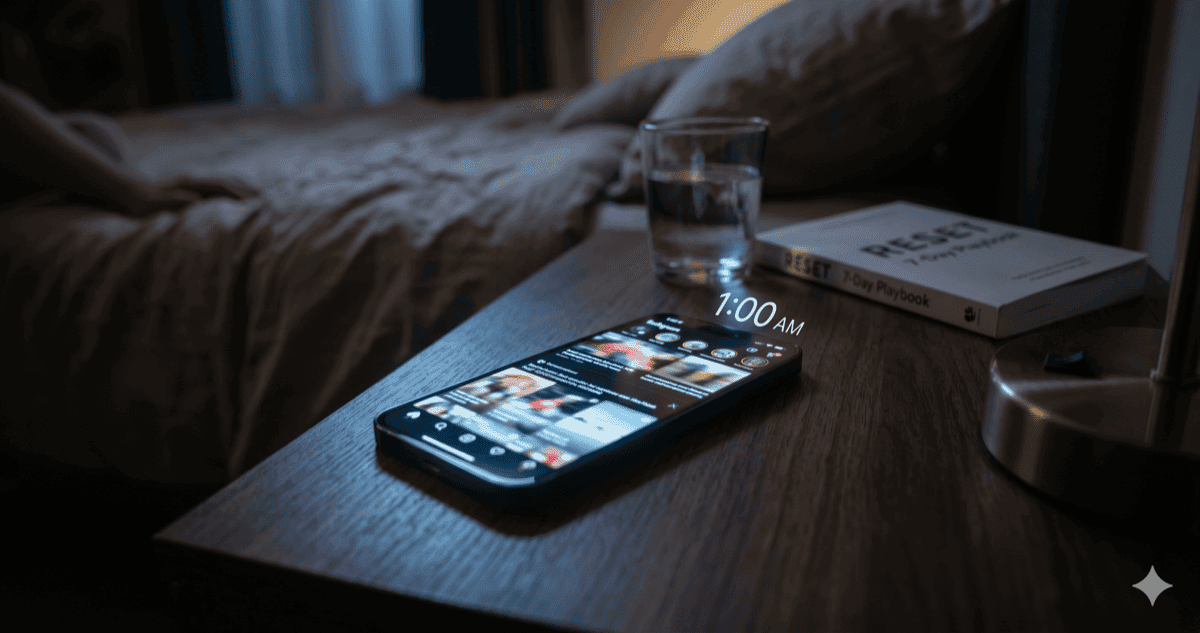
Short answer. Learning how to stop doom scrolling is mostly about removing the loop, not out-willing it. Make the feeds slower to reach, charge the phone outside the bedroom, replace the wind-down with anything physical, and watch the urge fade by day five. Seven days of small, boring changes is enough for the reflex to weaken into a choice again.
It’s 11:47 p.m. You picked up the phone to “check the time”. An hour ago. You are now five hundred miles deep into a Reddit thread about a building collapse in a country you’ve never been to, your heart rate is slightly up for no reason you can name, and tomorrow’s 8 a.m. meeting is going to hurt.
If you’re searching how to stop doom scrolling, you already know the problem isn’t information. The problem is the feeling: a low-grade alarm that never resolves, that keeps pulling your thumb back to the screen. The good news is the reflex is more fragile than it feels, and seven days of small, boring changes is enough to weaken it.
Why doom scrolling is so sticky
You are not weak. The feeds you scroll through were engineered, by teams of very smart people, around a specific psychological loop: variable rewards. You don’t know which post will resolve your unease (the next one might be funny, or important, or the one piece of context that finally makes the news make sense), so you keep scrolling in case it is. Slot machines work the same way. It isn’t an accident.
Doom scrolling adds a second hook on top: the content is mildly alarming. A real war, a real fire, a real bad take. Your nervous system reads “low-grade threat” and won’t let you look away, because evolutionarily, looking away from a threat is dangerous. You spent the Pleistocene scanning the savanna for predators. Now you scan a feed for push notifications.
This is why willpower-based plans to stop doom scrolling fail. You can’t out-discipline a loop you didn’t design and don’t see. The real lever is to remove the loop’s access to you, one piece at a time, and let your nervous system reset. (This pattern, friction first and willpower last, is the same one underneath almost every focus problem; the why can’t I focus on work post is the longer version of the same idea.)
How to stop doom scrolling in seven days
The plan is small on purpose. The mistake most people make is a heroic thirty-day digital detox that lasts four days. We’re doing seven, and most of the work happens once, on day one.
Day 1 (Saturday): 30 minutes of friction work
You are not changing your behavior today. You’re changing your setup, so behavior gets easier all week.
- Delete the worst-offender app from your phone. (Not “log out”. Delete. You can reinstall in sixty seconds if you really need to; that’s the point.)
- Turn off all notifications (sounds, badges, banners) for every news app, every social app, every messenger that isn’t used for emergencies.
- Move every remaining social or news app off your home screen into a folder on page three.
- Buy a seven-dollar cable and leave it in the kitchen. The phone charges there from now on, not on your nightstand.
That’s it. Ninety percent of the seven-day “how to stop doom scrolling” plan is this Saturday afternoon.
Days 2 and 3: the first reach
The reach-for-the-phone reflex will fire about as often as yesterday. You won’t have anywhere obvious to go, because the worst app is gone and the others are buried. Expect to feel slightly bored, slightly itchy, slightly anxious without knowing why. This is the loop unwinding. It is uncomfortable, and it passes.
When the reflex fires, set a ninety-second timer. Do anything physical. Stand up. Stretch. Drink water. Look out a window. Ninety seconds is short enough that you can always do it, and long enough that the urge has usually receded by the end of it.
Days 4 and 5: the surprise
By day four, most people notice the reach happens less. Not because of discipline. Because the feedback loop has been starved. The dopamine reward you weren’t quite getting isn’t being trained anymore, and the reflex weakens.
This is also the day people relapse, because the urge feels small enough to “manage”. Don’t reinstall. Not yet.
Days 6 and 7: the choice returns
By day six, picking up the phone stops being a reflex and starts being a decision. You’ll feel the pause. You’ll catch yourself thinking do I actually want to look at this right now? That pause is the whole point of the seven days.
On day seven, decide what you want long-term. Most people keep the worst-offender app uninstalled, the notifications off, and the phone out of the bedroom, not as a “challenge” but because the new default is just nicer.
Make the time visible
There’s one piece of equipment that helps doom scrolling stay gone: a real-time view of where your time actually goes. Not a weekly Screen Time report (those are too slow and too easy to ignore), but a glanceable, in-the-moment number that tells you, the next morning, that last night was forty-seven minutes on news.ycombinator.com. Calmly. With no nudge.
I built Are You Productive for the Mac side of this problem. It’s a free, local, lightweight tracker that sits in the menu bar and tells you, calmly, where the day actually went. It is not a doom-scrolling app per se. It’s the boring feedback loop that makes any “how to stop doom scrolling” plan stickier, because awareness alone fixes most behavior. There is no cloud, no account, no nag.
If your scrolling is mostly mobile, the iOS Screen Time daily limit on the worst app is a reasonable starting point. Clumsy, but free.
Quick facts
- The World Health Organization recognizes gaming disorder as a clinical condition; researchers studying compulsive scrolling describe the same loops (variable rewards, tolerance, withdrawal-like irritability) without yet defining a separate diagnosis (WHO ICD-11).
- A 2020 study in Health Communication linked compulsive news-checking to higher stress, anxiety, and worse perceived health (Health Communication).
- The American Academy of Sleep Medicine notes that screen use in bed is associated with delayed sleep onset and worse sleep quality (AASM).
- Are You Productive runs at under 1% CPU and ~20 MB on disk, small enough to leave on all day without joining the problem.
Beyond day seven
The reset isn’t a cure. The platforms haven’t changed; only your relationship to them has, slightly, and that relationship is maintained by the small environmental defaults you set on Saturday. Keep them. The minute you put the news app back on your home screen, the reflex returns within a week.
A few sustaining moves that hold over years:
- One social app, not three. Pick the least bad one and delete the rest. The dopamine load of three is more than three times the load of one.
- Phone in another room during dinner and the first hour of the morning. Two windows of the day where the loop simply can’t fire.
- A book in arm’s reach of every couch and bed. When the reach-for-the-phone reflex fires and the phone isn’t there, you need a default better than staring at the ceiling.
If the bigger story underneath your doom scrolling is I keep losing whole evenings to my phone and don’t know why, the digital addiction post is the honest long version. Doom scrolling is one of its more visible symptoms.
The bottom line
You don’t need to hate yourself out of doom scrolling. You need to make the loop physically harder to enter, then let the nervous-system part of the problem reset on its own. Seven days of small friction beats one month of self-flagellation, every time.
Start with the kitchen cable tonight. Everything else can wait until Saturday.
This post was written with the help of AI.